Run Pacer

Real-time voice pace coaching · iOS
PM + Product Design · MVP complete · 2026
Stop checking your phone for pace. Listen to your coach instead.
Why I built this
I signed up for my first 5K with a simple goal: finish under 30 minutes. That's 6:00 per km. Simple math.
But when you're actually running, you have no intuitive sense of pace. You're breathing hard, your legs are burning, and checking your phone means breaking form, digging it out, squinting at numbers, then putting it back. I fell into a loop: run, anxiously check, slow down too much, check again, speed up, check again. I wasn't running a 5K. I was monitoring myself running a 5K.
So I built the product I needed. An app that tells you in your ear whether you're on pace, too fast, or too slow. Just a voice saying “perfect pace” and letting you focus on the run, not the numbers.
The design principle
One rule drives every decision: the runner should never need to look at their phone. Most running apps are designed screen-first and add audio as an afterthought. Run Pacer inverts that entirely.
Before: four cognitive steps. After: one step. The app delivers the decision.
The experience
Setup takes 30 seconds. Distance and target time. The app calculates the pace you need. Hit start.
During the run: the app listens to GPS, calculates your smoothed pace, and talks to you. "Perfect pace! Keep it up" when you're on target. "Speed up a little" when you drift slow. "Whoa, dial it back" when you're flying. Upbeat, friendly, never robotic.
When you hit the goal distance, the app speaks a final cue and saves the run. Tap through to see your pace consistency — a chart showing every km, the target rule, and how steady you were.
History tab shows your past runs. You can see trends: are you getting faster? More consistent? Both?
That's it. Four screens. Everything designed around one job: help you hit your target pace.
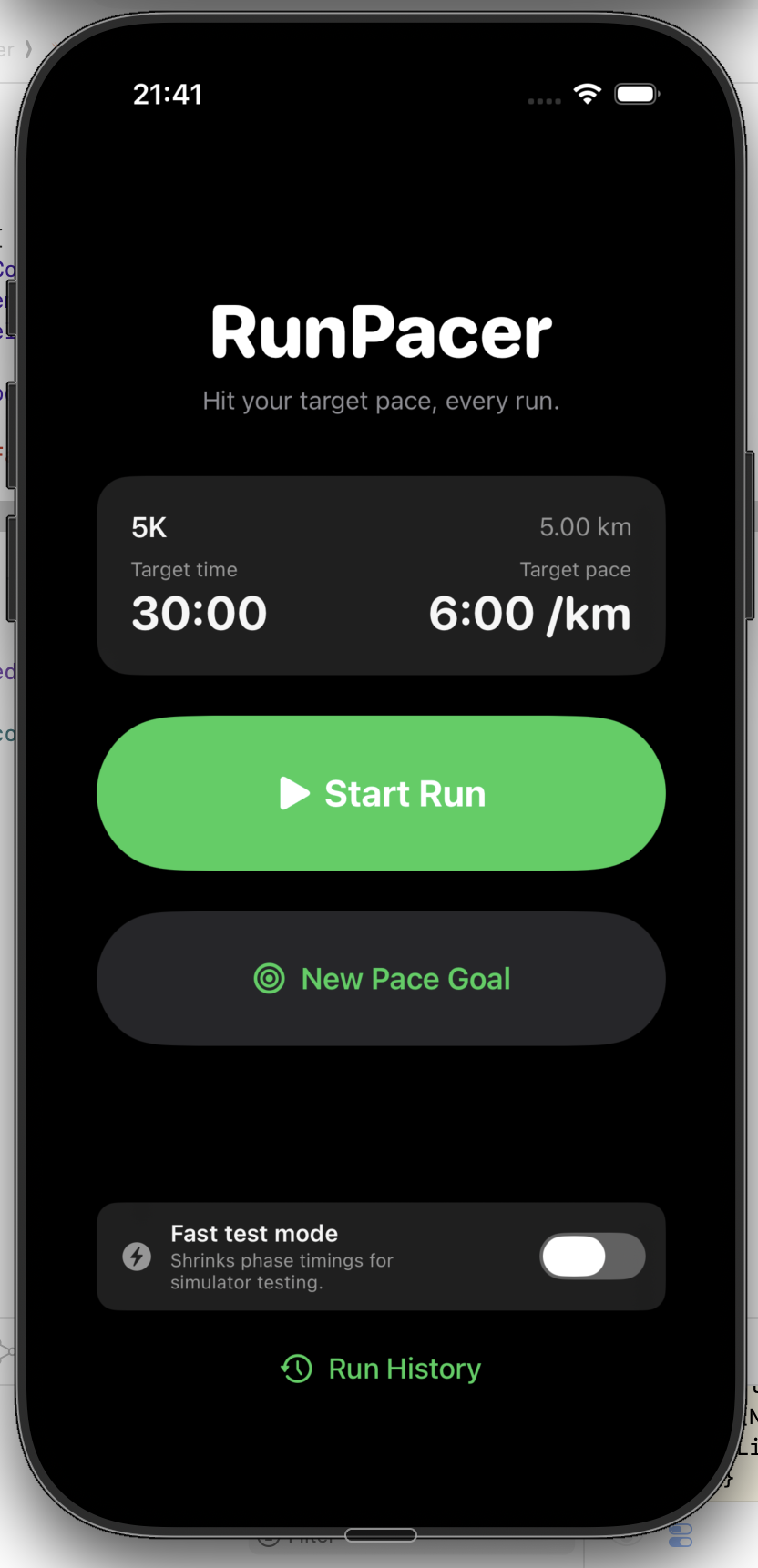
Home
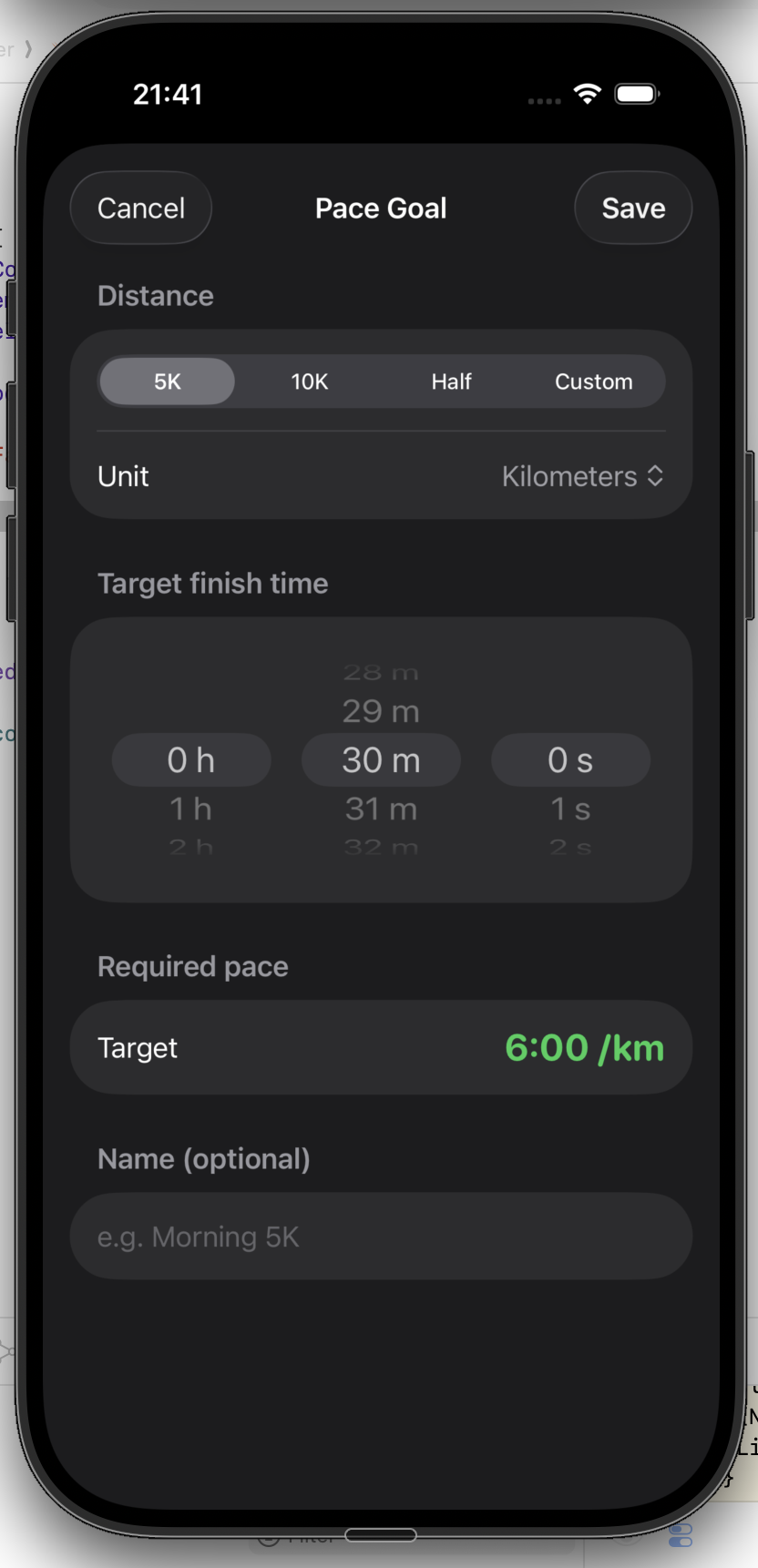
Set goal
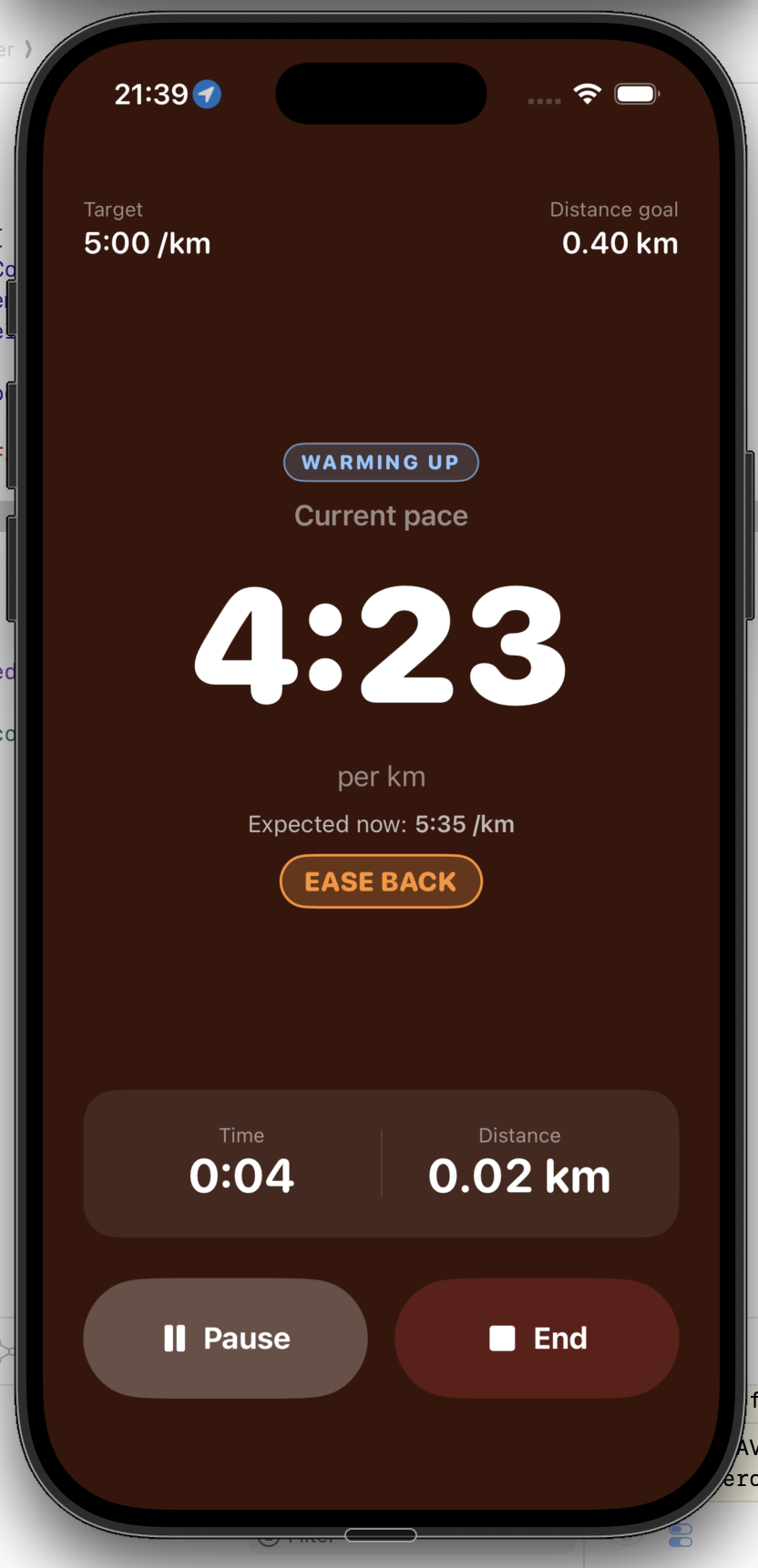
Run start
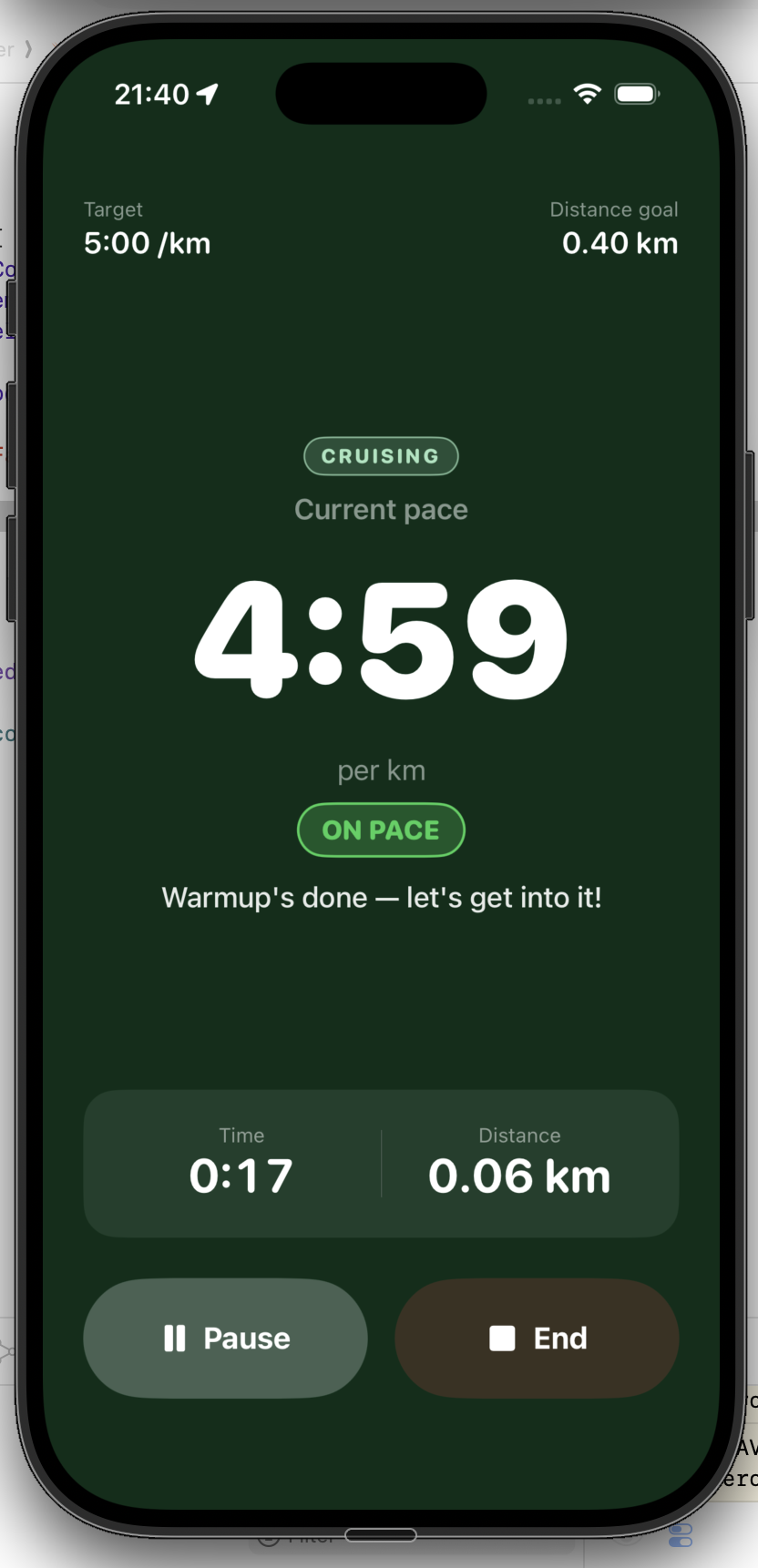
On pace
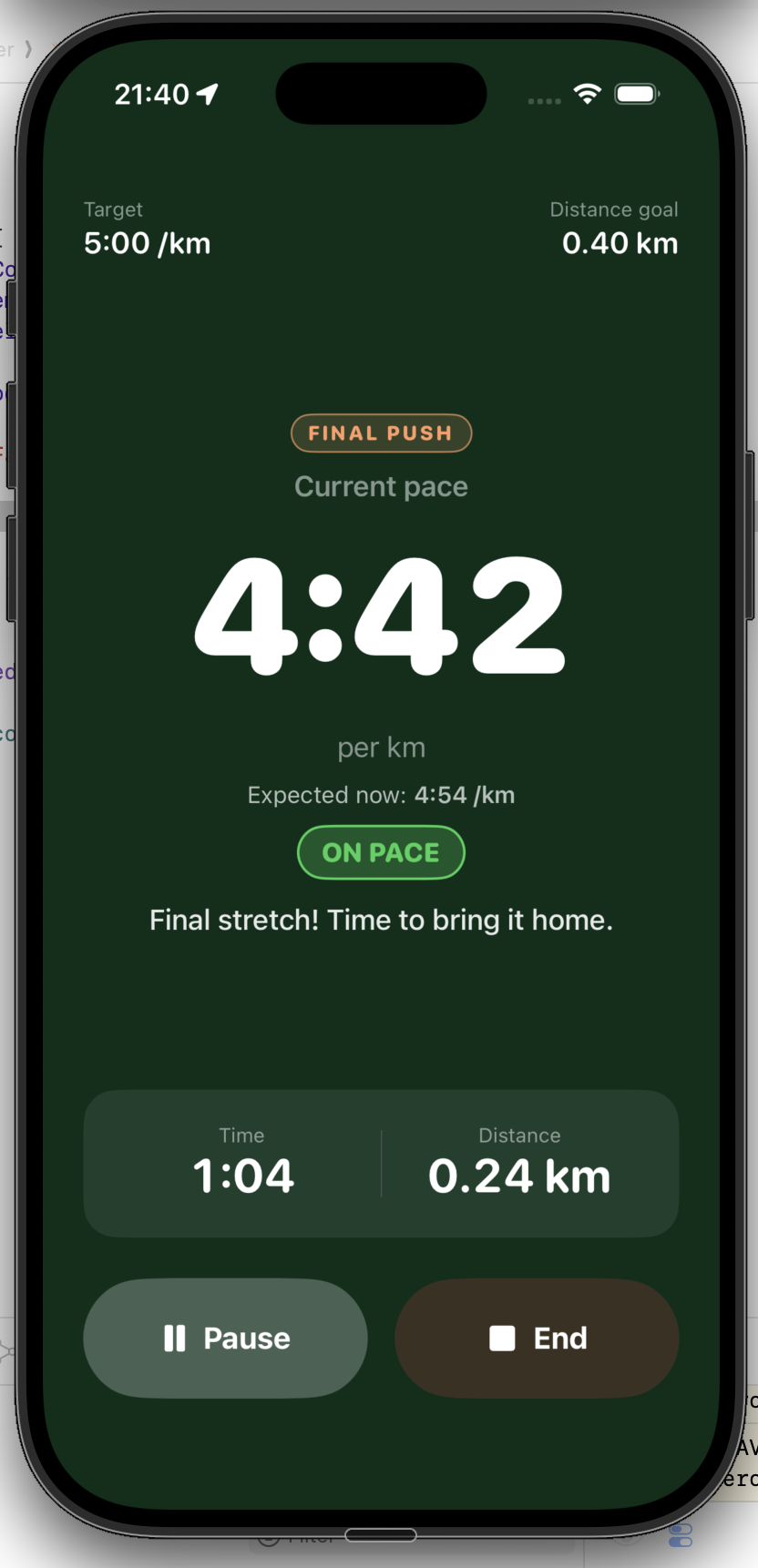
Final push
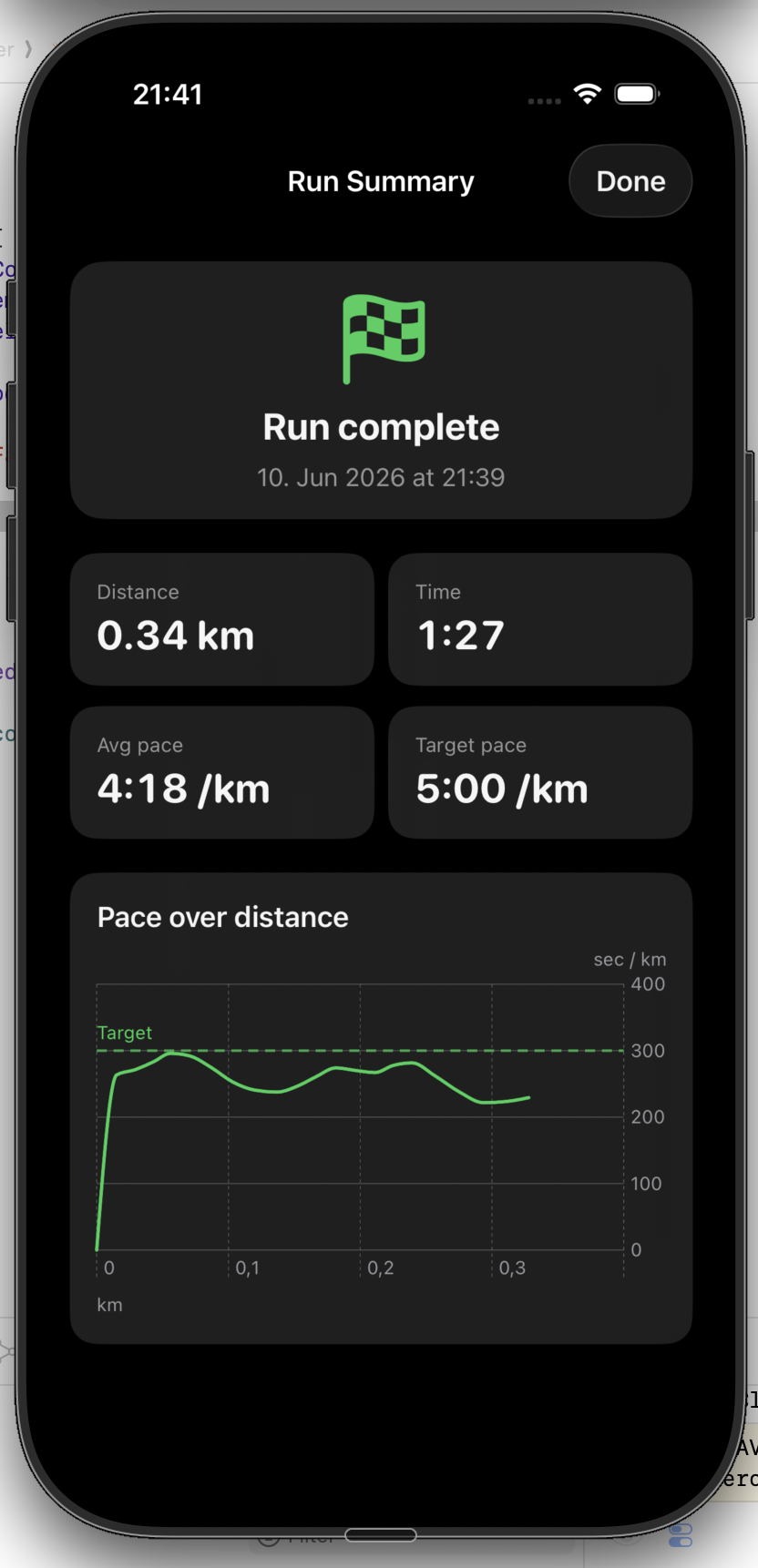
Run complete
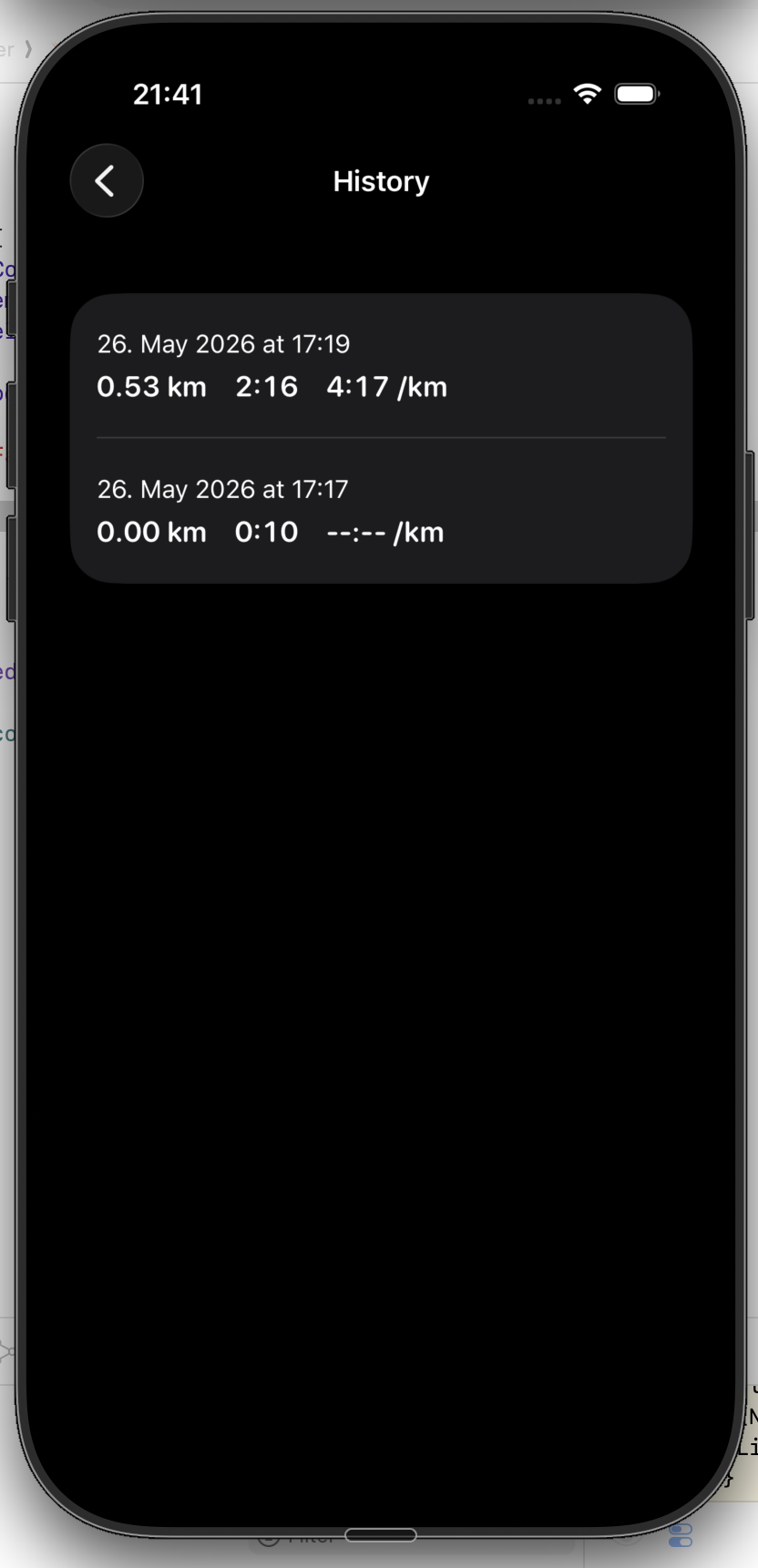
History
Setup → running (showing phase transitions) → summary → history. Click any screenshot to view fullscreen.
What's shipped
The MVP launched with core experience: goal setup, real-time voice guidance, run history.
Recent updates added:
Pre-recorded voice coaching
115 voice variants replace robotic TTS. Instead of a generic "speed up," you hear "Come on, let's pick it up!" or "Nailing it!" The voice feels human and encouraging.
Phase-aware coaching
The app understands three phases: warmup (ease in), cruise (hold pace), finish (push hard). Expected pace and cue tone adapt for each phase. Warmup doesn't yell at you for being slow. Finish doesn't congratulate you for maintaining when it's time to empty the tank.
Improved pace accuracy
Fixed GPS smoothing to account for curves and jitter. The app now knows your real pace, not just straight-line distance.
Pause & resume
Audio, haptics, and music clean up properly when paused. Screen can sleep. Music doesn't stay ducked after a run.
The app is stable, tested on real 5K+ runs, and ready for daily use.
How it competes
Strava is a social network that happens to track runs. Nike Run Club is a brand experience that includes coaching. Runkeeper is a GPS tracker with audio. None of them are built from the ground up around one job: help me hit my target finish time through real-time voice guidance. That's the gap Run Pacer fills.
Evaluated on one key metric: real-time adaptive pace guidance.
What's next
The MVP is solid. The roadmap for 2026–27 includes:
Phone-free running. Pace guidance on your wrist via haptics. Unlocks the "no phone at all" segment.
Pace zone analysis, improvement trends, monthly summaries, data export. For runners who've graduated from "finish my first 5K" to "shave 2 minutes off my PR."
Progressive pace programs, race-specific prep (5K, 10K, half marathon), adaptive rest days. Moves Run Pacer from a run-by-run tool to a training companion.
If social features come, they'll be opt-in and private by default. No forced sharing, no leaderboards.